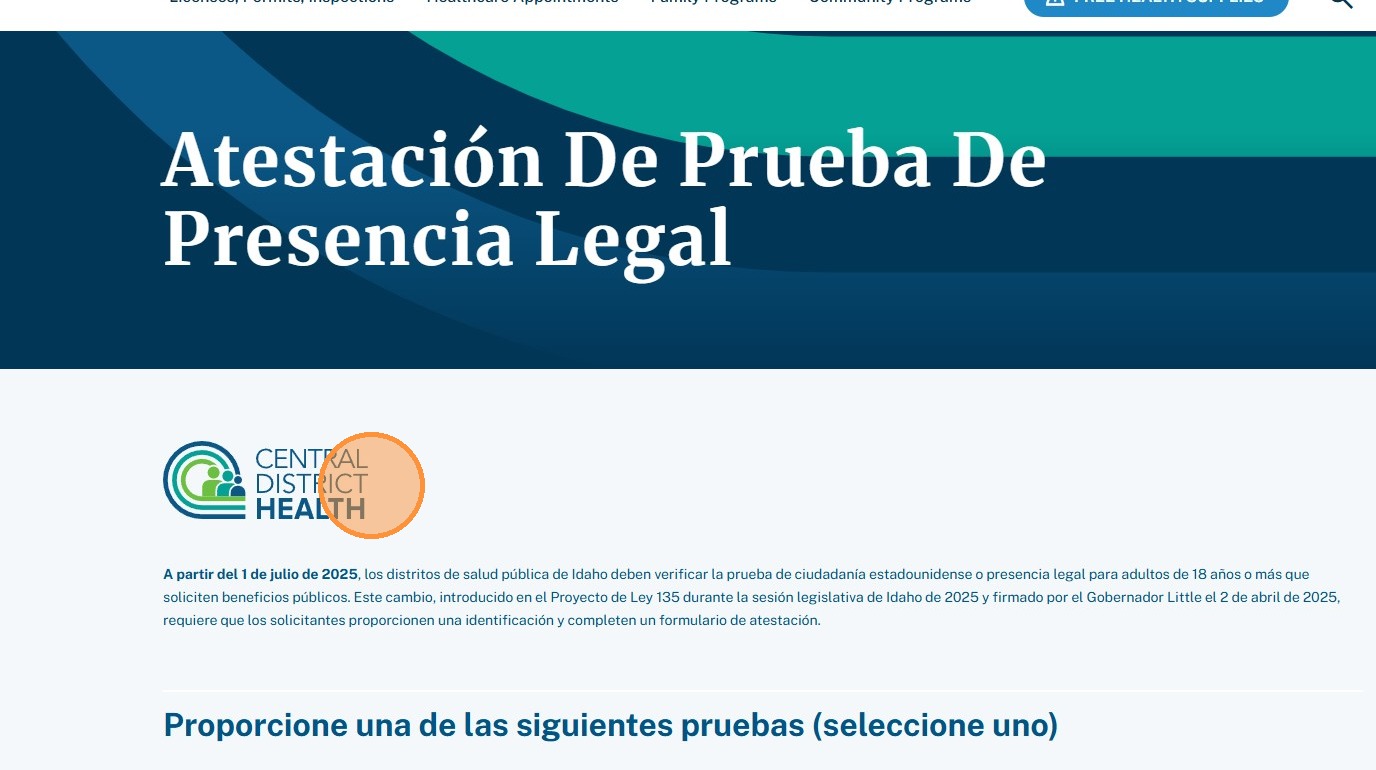
Forms
How to edit and place forms.
1. Navigate to https://cdh.idaho.gov/wp-admin/, hover Formidable then click “Forms”.
Section titled “1. Navigate to https://cdh.idaho.gov/wp-admin/, hover Formidable then click “Forms”.”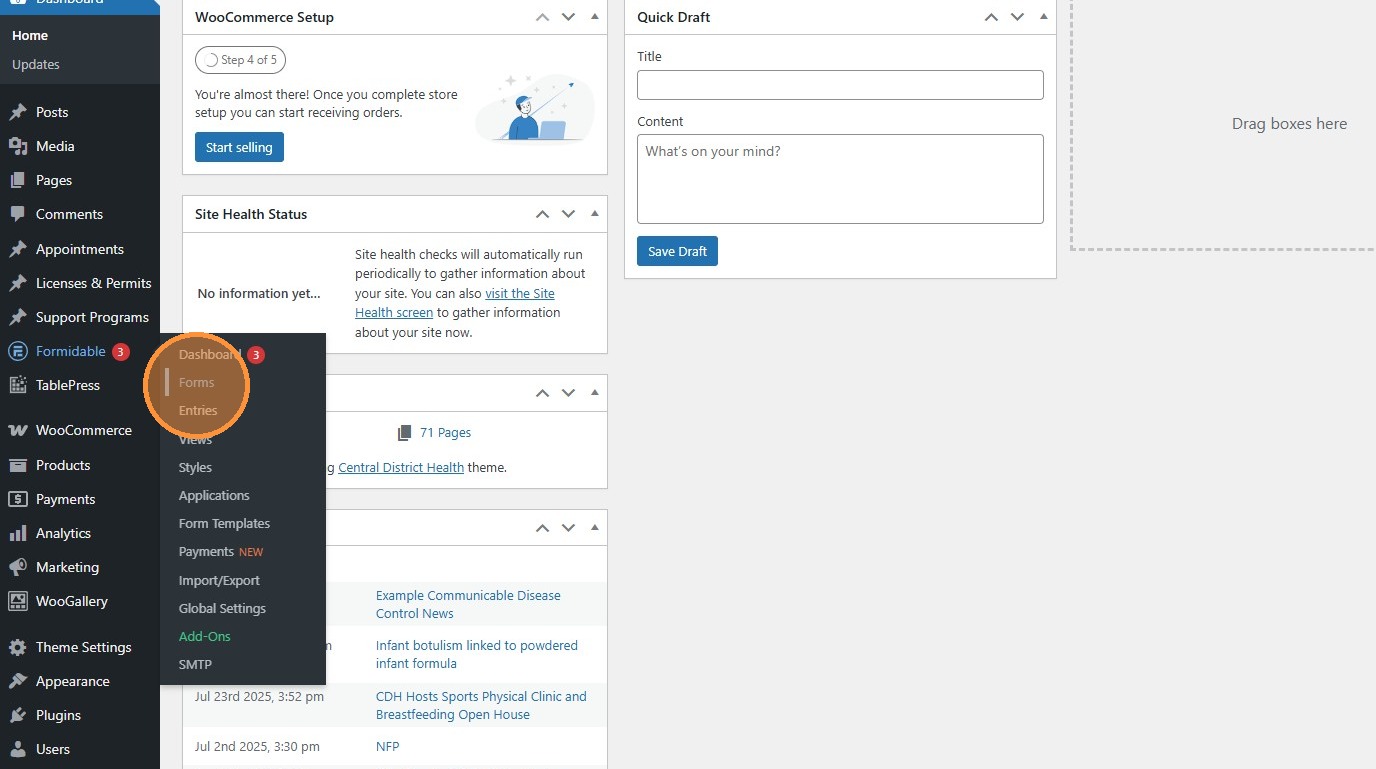
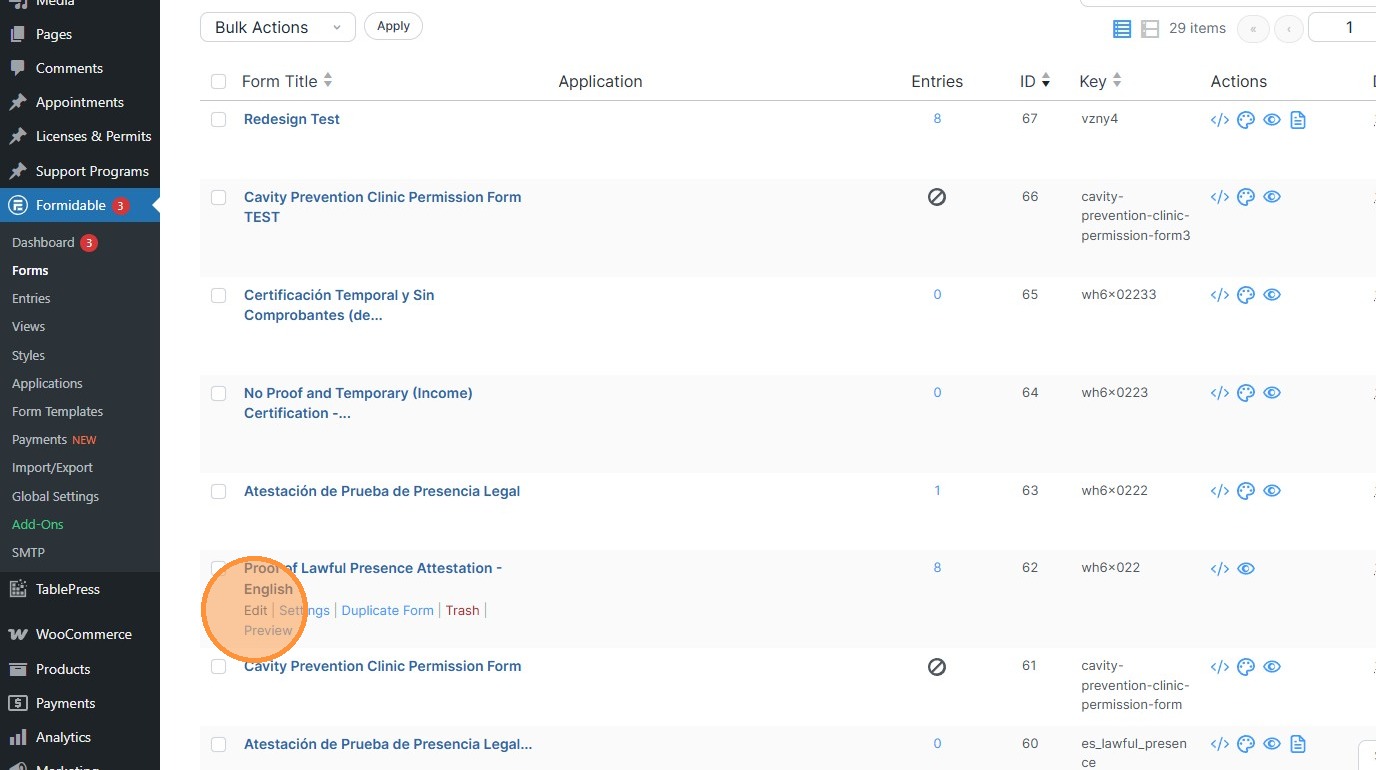
2. This is where forms are created and edited.
Section titled “2. This is where forms are created and edited.”To edit a form, click the edit button underneath. More information on the form builder is available from Formidable.
3. To embed a form on a Page, use the Form module while editing a page. More information on embedding forms is available from Formidable.
Section titled “3. To embed a form on a Page, use the Form module while editing a page. More information on embedding forms is available from Formidable.”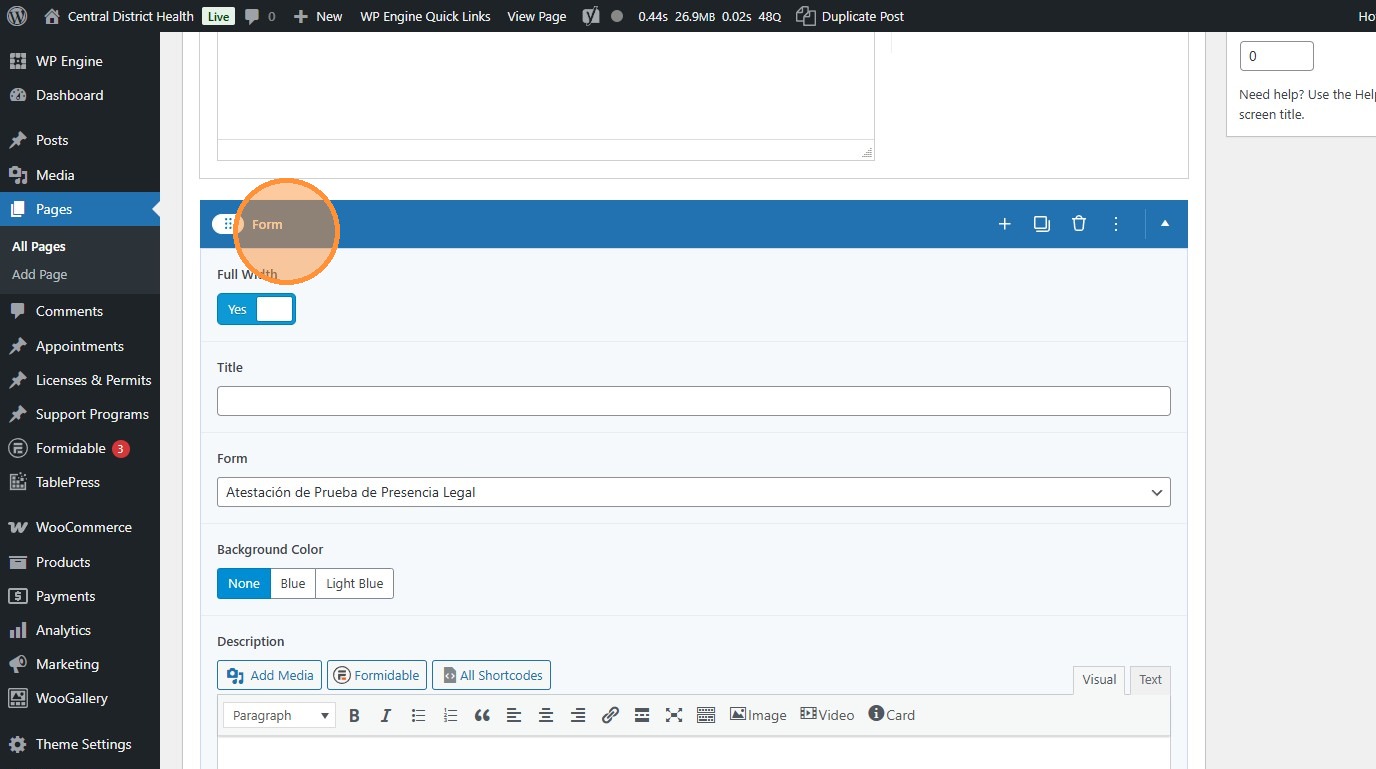
4. Click this dropdown to pick an already-created form and add it to the page.
Section titled “4. Click this dropdown to pick an already-created form and add it to the page.”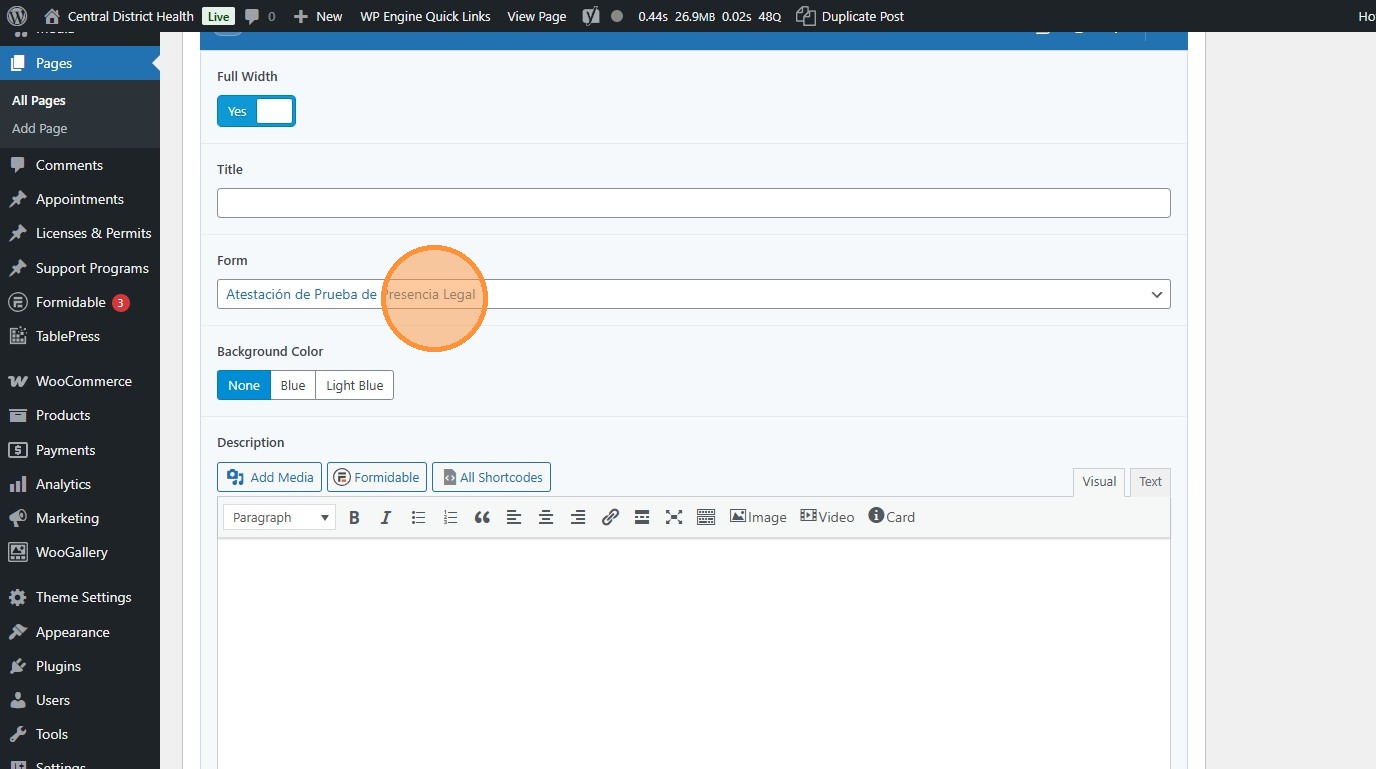
5. The form appears with the correct styling on the page.
Section titled “5. The form appears with the correct styling on the page.”